
Course Companion
EdTech
Ongoing
Full Stack Developer & AI Engineer
React · Node.js · PostgreSQL
Project Overview
Course Companion is a privacy-first AI platform built for universities, professors, and academic institutions to safely leverage AI in teaching without compromising data security, intellectual property, or institutional policies.
A scalable digital extension of a professor with zero data lock-in.
How It Started
Course Companion was initiated by a technical founder with academic and industry exposure: PhD in Chemistry from Northwestern, AI Fellow at Handshake, based in the United States. Despite working with AI daily, they saw strong resistance to AI adoption in universities.
Works closely with cutting-edge AI systems in production environments.
The Core Problem
Professors are hesitant to use AI tools. Universities often restrict or ban AI platforms. Key concerns include data privacy, student data misuse, intellectual property leakage, and vendor lock-in. Existing AI tools are generic, not professor-centric, and not institution-friendly.
Professors don't want AI tools. They want a trusted extension of themselves.
Solution Philosophy
Course Companion was designed with privacy and academic trust as first principles. Privacy-first by design. Minimal data exposure. No unnecessary logging. No data reuse for training. Institution-friendly architecture. Professor-controlled AI behavior.
The goal is not to replace teaching but to amplify it safely.
Three-Front Architecture
The system is structured into three clearly separated fronts, each with strict responsibility boundaries.
Privacy enforced at every layer.
Professor Capabilities
This is where professors configure and own their AI companion.
Upload Materials
Lecture notes, PDFs, reading materials
Customize AI
Behavior, response tone, teaching style
Personal Branding
Professor name, course identity
Shareable Link
Generate unique course link for students
Content Scope
Control what AI can and cannot discuss
Fine-Tune
Adjust responses to match teaching philosophy
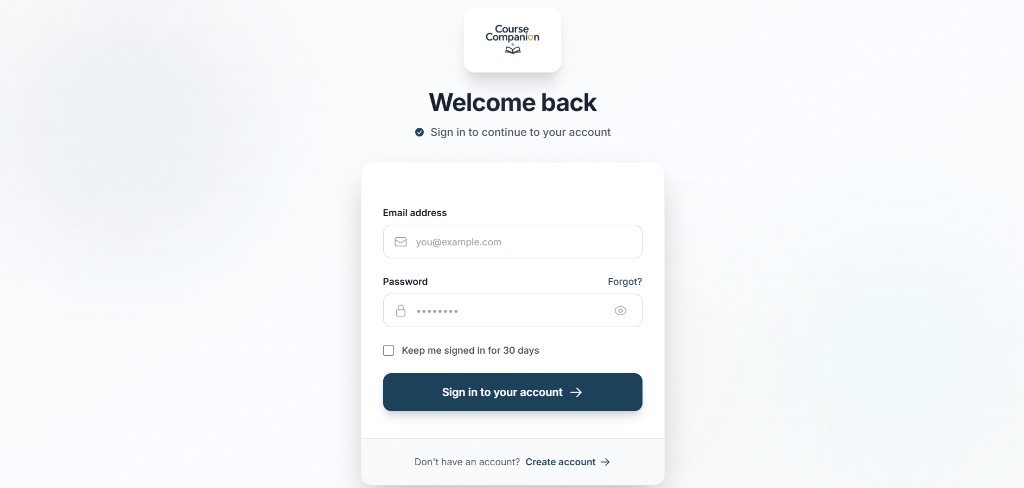
Sign-In Experience
A focused sign-in flow welcomes professors back with email and password fields, optional extended sessions, and a clear path to account creation, with minimal friction before reaching the teacher portal.
Trust starts at the front door with a calm, professional login.
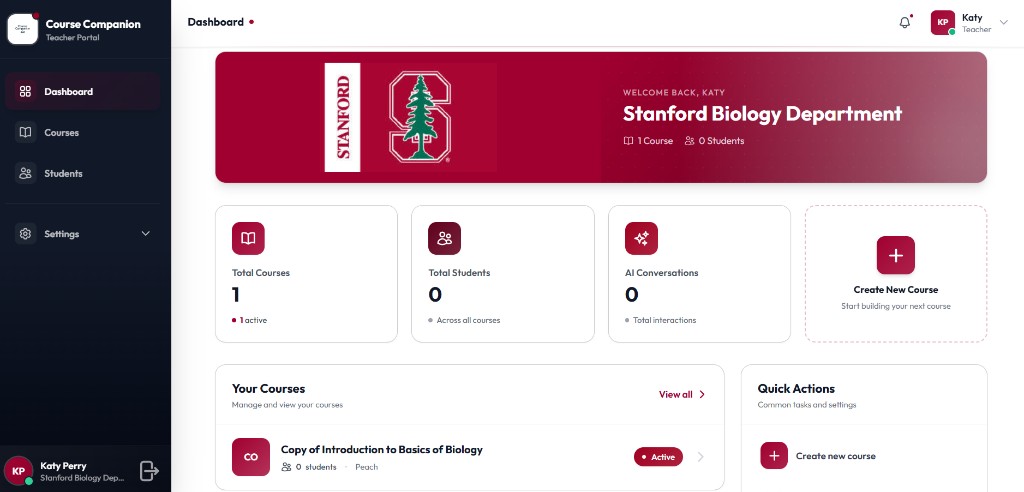
Teacher Dashboard
The dashboard surfaces institution branding, course and student counts, AI conversation metrics, and quick actions to create courses, giving professors a single home for their teaching workspace.
Institution-aware branding with at-a-glance course health.
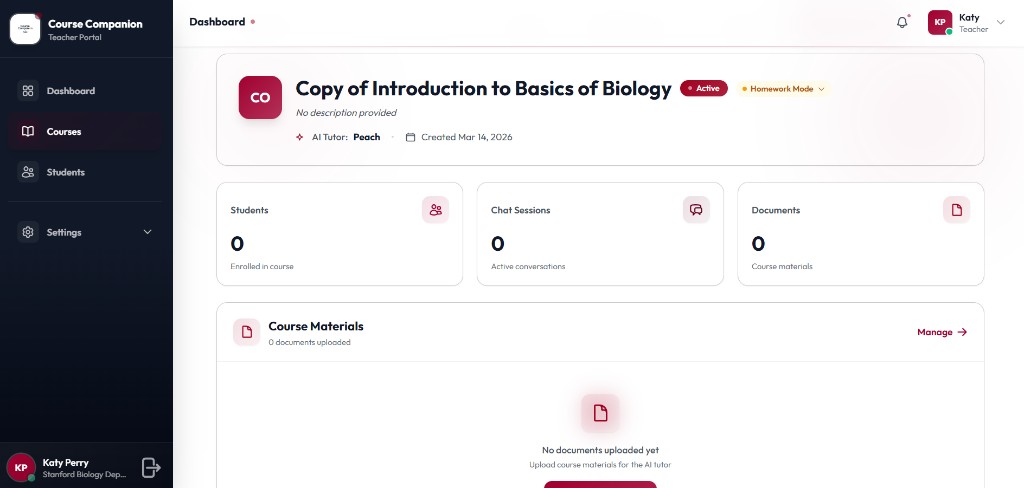
Course Management
Each course view shows enrollment, chat sessions, uploaded materials, and homework mode controls. Professors configure the AI tutor persona and manage documents that ground student conversations.
Professor-owned course spaces with AI tutor configuration built in.
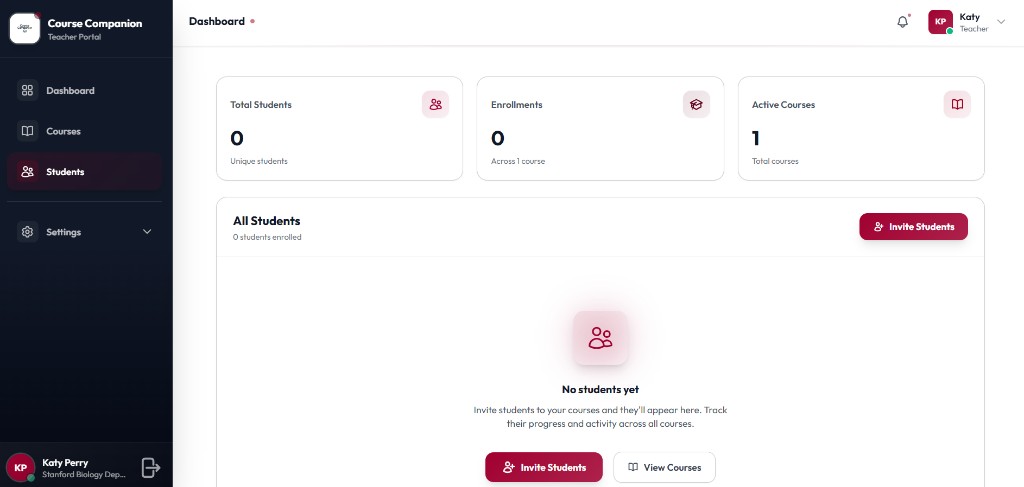
Student Roster
The students view tracks enrollments across courses with invite flows and empty states that guide professors to onboard their first class, keeping roster management simple and actionable.
Invite and track students without leaving the portal.
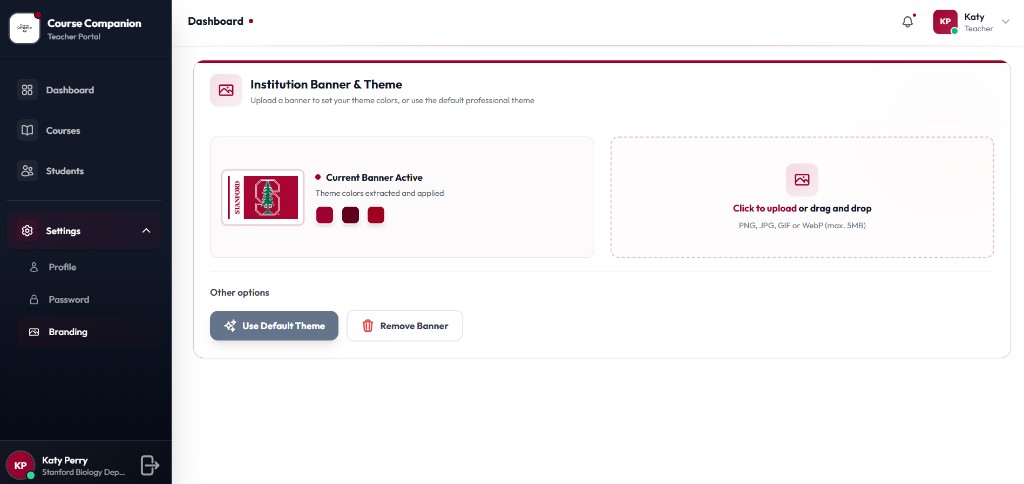
Institution Branding
Professors upload an institution banner to extract theme colors automatically, preview the active brand, or fall back to a default professional theme, keeping the portal visually aligned with their department.
Custom theming without sacrificing a polished default experience.
Student Experience
Students interact through a simple, ChatGPT-like UI intentionally familiar and distraction-free.
Ask Questions
Directly related to course materials
Clarify Concepts
Outside classroom hours
Revise Topics
At their own pace
Prepare
For assessments and exams
Safe Environment
Non-judgmental interaction
Professor's Knowledge
Not generic AI curated content
Privacy Measures
Privacy is not a feature it is the foundation.
No Logging
No unnecessary conversation logging
No Leakage
No cross-course data leakage
No Training
No model training on student data
Minimal Admin
Super admin has restricted visibility
Super Admin Boundaries
Unlike traditional platforms, the super admin panel is intentionally restricted. Admins receive only the visibility required to operate the platform, never access to teaching content or private student interactions.
Privacy enforced by architecture, not policy promises alone.
Aggregate platform totals
Enrollment summaries only
Student–AI chats stay private
Uploaded materials remain professor-owned
Why This Is Hard
Operates in a high-trust academic environment. Requires balancing AI capability with privacy and institutional compliance. Needs to win over skeptical, highly educated users. Cannot rely on "black-box AI" approaches.
This is a harder problem than consumer AI, by design.
Current Status & Vision
Product under active development. Core architecture finalized. Privacy-first design locked. Early-stage builds in progress. Course Companion positions itself at the intersection of AI, Education, Privacy, and Institutional trust.
Building AI systems people are comfortable trusting not just using.
Who prepared this
Business, Product & Go-to-Market
Worked across SaaS products, AI systems, and business software execution with direct exposure to scaling product workflows and solving operational inefficiencies.
LinkedInTechnology & Product Architecture
Leads technical development and product systems, with strong hands-on experience building production-grade software and AI implementations.
LinkedIn
A privacy-first teaching platform in active development.
Natvoiz AI Voice Bot
Building AI systems people are comfortable trusting not just using.